Roku Random Power‑Offs Explained and Fixed
Roku units sometimes shut down without warning, disrupting streaming. The article breaks down the most common technical triggers and offers clear fixes to restore stable playback.
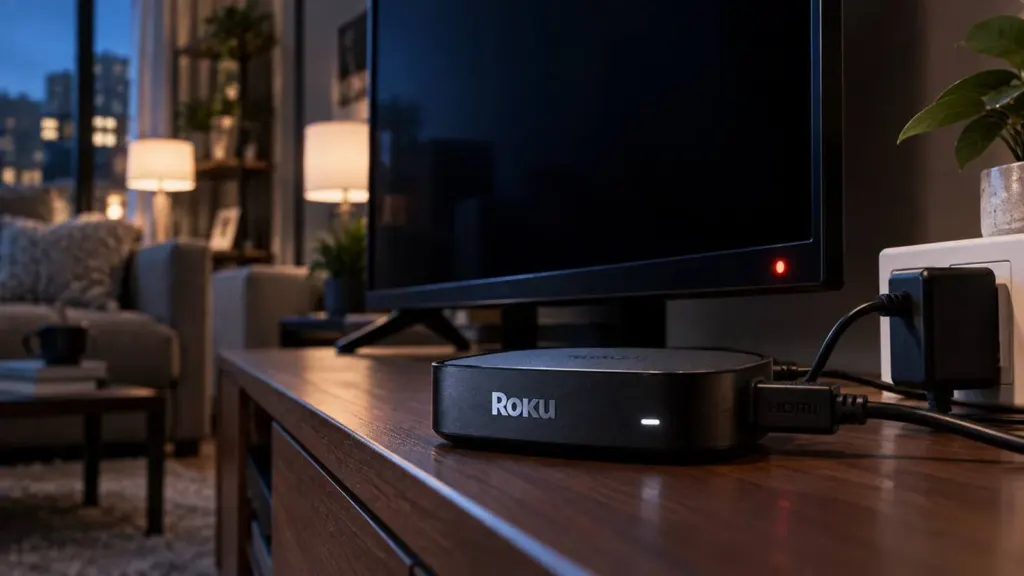
Roku streaming players dominate the U.S. living‑room market, yet a surprisingly high volume of user complaints point to an intermittent but vexing problem: the device powers off on its own. When a television suddenly blanks, the frustration is immediate, and the impact ripples through Roku’s ad‑supported ecosystem, which depends on uninterrupted viewing to drive revenue. Understanding why these power‑off events happen—and how users can reliably stop them—offers a concrete way to improve both consumer satisfaction and Roku’s competitive standing.
Three technical vectors account for the majority of spontaneous shutdowns: the integrity of the external power adapter, the stability of the device’s firmware, and the interaction between Roku and a TV’s HDMI‑CEC (Consumer Electronics Control) implementation. Each vector originates from a distinct engineering domain, yet they converge on the same user‑visible symptom: the screen goes dark and the Roku icon disappears. By isolating the root cause, users can apply a targeted fix rather than resorting to trial‑and‑error resets that waste time and erode confidence.
Beyond these primary causes, secondary factors such as overheating, network interruptions, or a failing internal power regulator can also trigger shutdowns, but they appear far less frequently in real‑world reports. The analysis below prioritizes the three dominant vectors because they are both the most common and the most actionable for the average consumer.
Power adapter integrity matters
Roku devices rely on a 5 V, 2 A (or higher) external power brick that plugs directly into a wall outlet. The original adapter is engineered to maintain a steady voltage under the device’s load, but third‑party or damaged cables can introduce voltage sag, especially when the outlet supplies marginal power or when the cable is coiled tightly. A brief dip below the device’s minimum operating voltage forces the internal power management circuit to shut down to protect the hardware, resulting in the abrupt loss of picture.
Practical verification steps include:
- Visually inspect the power brick for scorch marks, frayed cables, or loose connectors.
- Swap the adapter with a known‑good one of identical rating; many users find that a genuine Roku‑branded brick eliminates the issue.
- Use a multimeter to confirm that the output stays above 4.75 V under load; a drop below this threshold is a strong indicator of a faulty supply.
Because the power adapter is the most exposed component, replacing it is often the quickest path to a stable device. Roku’s support portal lists the exact model numbers for each generation, making it easy to source an official replacement.
Firmware stability and updates
Roku’s operating system receives regular OTA (over‑the‑air) updates that address bugs, improve performance, and occasionally patch power‑management logic. A device that has not applied recent updates may retain a known firmware flaw that triggers shutdowns under specific conditions—such as a particular combination of apps running in the background or a rare memory leak.
Users can verify their firmware version in Settings → System → About and trigger a manual check via Settings → System → System update. If the device reports that it is already on the latest version, the next step is to perform a soft reset (holding the reset button for ten seconds) followed by a hard reset (factory reset) only after backing up preferred channel configurations. A clean install forces the device to download the most recent, stable image directly from Roku’s servers, eliminating any corrupted or partially applied patches that could be causing power instability.
Roku’s update cadence has accelerated in the past two years, reflecting a broader industry trend where streaming‑device manufacturers treat firmware as a continuous service. Maintaining an up‑to‑date system not only resolves known power‑off bugs but also positions the device to receive future performance optimizations.
Beyond the two primary vectors, HDMI‑CEC interactions deserve a brief mention. Many modern TVs send power‑control signals over the HDMI link; if a TV’s firmware interprets a Roku’s idle state as a cue to power down, the Roku will follow suit. Disabling HDMI‑CEC on the TV (often labeled “Anynet+,” “Simplink,” or “Bravia Sync”) or on the Roku (Settings → System → Control other devices → HDMI‑CEC) removes this handshake, preventing the TV from unintentionally turning the player off.
Overheating is another peripheral cause. Roku units are compact and rely on passive cooling; placing the device in a confined space or on a warm surface can raise internal temperatures enough for the thermal sensor to trigger a shutdown. Ensuring adequate ventilation—by keeping the device away from enclosed TV cabinets and allowing at least an inch of clearance behind the unit—mitigates this risk.
The competitive pressure from Amazon Fire TV and Apple TV amplifies the importance of resolving power‑off complaints. Both rivals have invested heavily in robust power‑management firmware and offer streamlined warranty replacement programs. If Roku’s reliability perception erodes, advertisers may shift budgets toward platforms with higher average view times, and consumers may migrate to alternative hardware. Conversely, a clear, documented troubleshooting pathway reinforces brand trust and can reduce support‑ticket volume, freeing engineering resources for feature development.
Beneficiaries of a successful fix are straightforward: users regain uninterrupted streaming, Roku preserves its ad‑impression inventory, and the broader streaming ecosystem maintains a healthy churn rate. For users whose devices exhibit persistent hardware failure despite the steps above, the warranty route remains the safest option. Roku’s standard one‑year limited warranty (extendable via purchase of a protection plan) covers power‑brick defects and internal component failures, providing a clear escalation path.
In sum, the majority of random Roku shutdowns can be traced to three controllable factors—power‑adapter health, firmware currency, and HDMI‑CEC settings. By systematically checking each, most owners can restore stable operation without resorting to costly replacements. As streaming continues to dominate home entertainment, ensuring that the hardware backbone remains reliable is as strategic as any content acquisition, and Roku’s ability to address these power‑off issues will directly influence its market share in the years ahead. For a broader view of how IoT device reliability shapes consumer expectations, see our coverage of IoT device reliability.