SSD Beats HDD for Speed, but HDD Wins on Cost
External SSDs deliver faster data transfer, making them ideal for high‑throughput tasks. Hard drives, meanwhile, provide larger capacity at a lower price, suiting bulk backup needs.
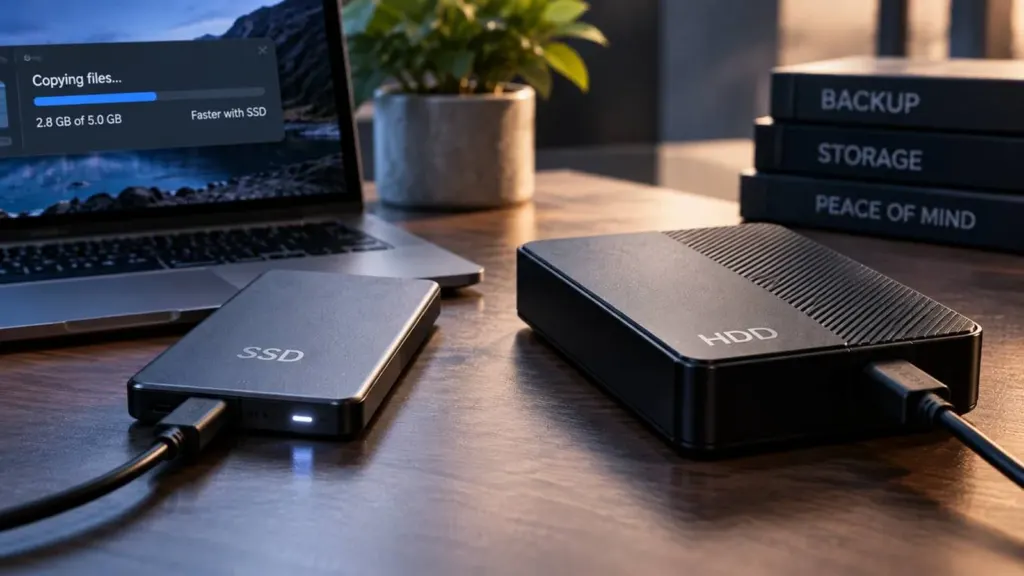
The choice between an external solid‑state drive (SSD) and a traditional hard‑disk drive (HDD) has long been a focal point for consumers and professionals alike. A recent wire report notes that external SSDs are faster than HDDs, but if cost‑effective backups or larger capacities are required, a hard drive may be a better choice. That simple observation encapsulates the core tension: speed versus affordability and storage density. In the era of high‑resolution media, rapid data movement can shave hours off editing pipelines, while the sheer volume of archival footage demands a cost‑efficient solution. Understanding how each technology aligns with these priorities is essential before committing to a peripheral.
Speed is the hallmark of SSD technology. By eliminating moving parts, flash memory can access data almost instantaneously, producing read and write speeds that outpace the mechanical rotation of HDD platters. For tasks that involve frequent file transfers—such as video rendering, large dataset manipulation, or iterative software builds—this latency advantage translates into measurable productivity gains. The wire source explicitly states that external SSDs are faster, underscoring the performance edge that drives many professionals to choose flash over magnetic media. However, speed alone does not dictate overall value; the cost per gigabyte and the total usable capacity also play decisive roles.
Cost and capacity are the domains where HDDs maintain dominance. Magnetic storage has matured over decades, allowing manufacturers to pack more data into a single platter while keeping manufacturing expenses low. Consequently, a 4‑terabyte external HDD can be purchased for a fraction of the price of an equivalent SSD. For users whose primary requirement is bulk backup—such as archiving raw footage, system images, or long‑term data preservation—the lower cost per gigabyte makes HDDs an attractive option. Moreover, the larger capacities available on HDDs reduce the need for multiple devices, simplifying storage management. The trade‑off, however, is the slower data throughput and greater physical vulnerability inherent to spinning disks.
Speed and Latency in External Drives
The performance differential between SSDs and HDDs is rooted in their underlying architectures. SSDs rely on NAND flash memory accessed via a controller, enabling read and write operations that occur in microseconds. HDDs, by contrast, depend on a spinning platter and a read/write head that must physically move to the correct track. This mechanical delay introduces a latency that can be several milliseconds, a significant factor when transferring large files or executing read‑heavy workloads. In practice, an external SSD can move a 50‑gigabyte video file in under a minute, whereas the same task on a comparable HDD may take several minutes. For workflows that demand rapid iteration—such as 4K video editing or real‑time data analysis—the speed advantage of SSDs can be decisive.
Beyond raw transfer rates, SSDs also exhibit higher I/O operations per second (IOPS), which benefits random access patterns. Applications that read many small files, such as database backups or software development environments, see noticeable performance improvements on flash storage. The wire source’s claim that SSDs are faster aligns with these observations, reinforcing the idea that speed is a key differentiator. Nevertheless, the performance gap narrows when considering sustained throughput for large sequential transfers; modern HDDs can deliver respectable speeds that may suffice for less time‑critical tasks.
Cost and Capacity Trade‑offs
Manufacturing economies of scale have kept HDD prices low, allowing consumers to purchase high‑capacity drives at a modest cost. A 4‑terabyte external HDD can be found for under $100, while an SSD of comparable size may exceed $200. This price differential is a direct consequence of the mature production processes for magnetic media and the lower cost of raw materials. For users who need to store terabytes of data—such as archivists, photographers, or backup specialists—the cost per gigabyte becomes a critical metric. The wire report’s emphasis on cost‑effective backups highlights this advantage, suggesting that HDDs remain the preferred choice for large‑scale storage needs.
Capacity is another factor where HDDs excel. Manufacturers routinely offer 8‑terabyte and 12‑terabyte external models, whereas SSDs typically cap at 4 or 8 terabytes for consumer‑grade devices. The larger capacity reduces the number of drives required to house a given dataset, simplifying logistics and reducing cable clutter. However, the higher cost per gigabyte and slower transfer speeds mean that HDDs are less suited for workloads that demand quick access or frequent writes. The trade‑off between cost, capacity, and performance must therefore be evaluated in the context of the user’s primary objectives.
Choosing the Right Drive for Your Workflow
Deciding between an SSD and an HDD hinges on the relative importance of speed, cost, and capacity in a given workflow. If a user’s tasks involve frequent read/write operations, such as video editing, software development, or real‑time data analysis, the speed advantage of SSDs can reduce bottlenecks and improve productivity. Conversely, if the primary goal is to archive large volumes of data—raw footage, system backups, or long‑term storage—the lower price and higher capacity of HDDs make them a more economical solution. Users who require both attributes may adopt a hybrid strategy, keeping an SSD for active projects and an HDD for archival storage.
Ultimately, the wire source’s concise comparison captures the essential trade‑offs: external SSDs deliver faster performance, while HDDs offer cost‑effective backups and larger capacities. By aligning the choice of drive with the specific demands of a workflow, users can optimize both performance and budget. The decision is not one of absolute superiority but of contextual fit, and understanding the strengths and limitations of each technology is the first step toward making an informed selection.